Use this checklist the next time somebody cannot work a confirmed shift. It works whether your team calls it a rota, roster or schedule.
Start with the current shift and the people who can actually work it.
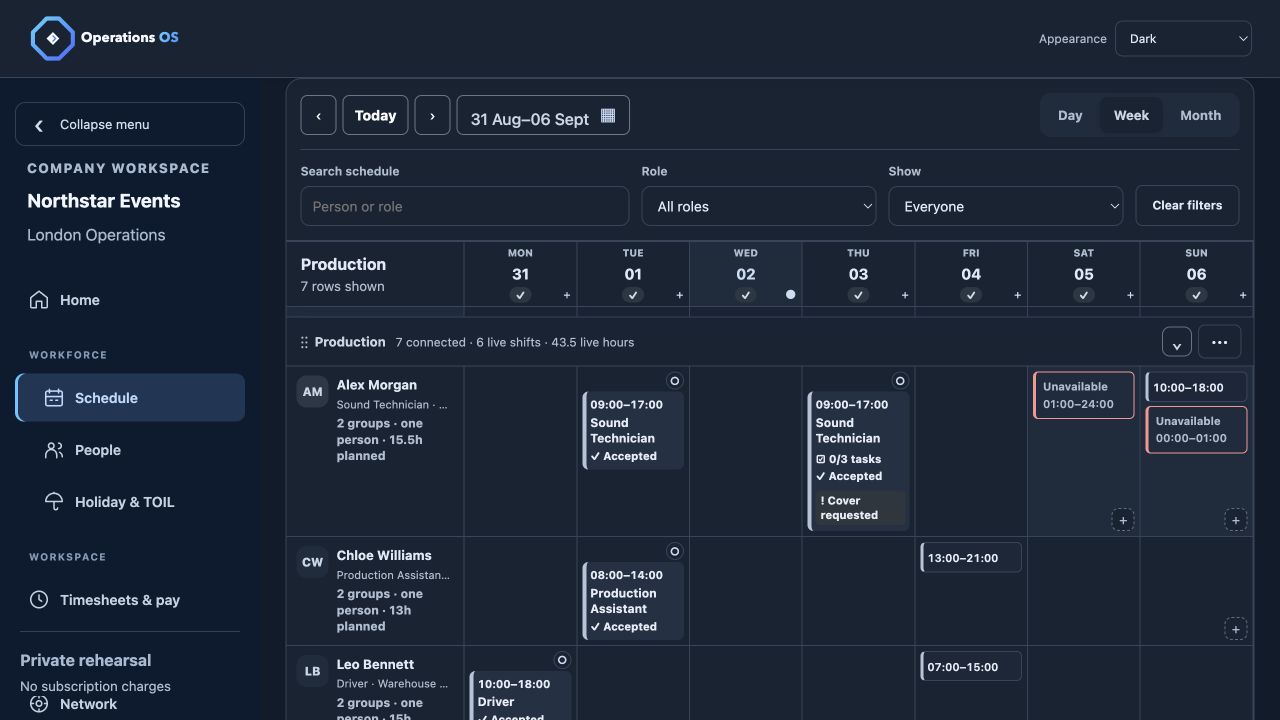
Record the original role, location, start and finish times, and who is already booked. Then check availability and overlapping commitments before contacting a replacement. A person being on your staff list does not mean they are free for this shift.
If a worker serves several workplaces, you need to know whether they are available—not why another period is blocked or which company booked it.
Give the replacement enough detail to answer.
Send the role, place, time and agreed rate through a clear shift offer. Keep the offer open until a worker accepts or it expires, and avoid treating a message sent as a booking confirmed. If several people are offered cover, close the request once the position is filled.
Make the changed schedule visible to everyone affected.
Confirm the original worker’s change and the replacement’s acceptance in the working record. Check that the manager and worker views show the same current shift. Keep enough history to answer a simple question later: who was asked, who responded, and what changed?
Finish with the hours worked, not just the plan.
After the shift, compare clocking with the confirmed assignment. Let the worker raise a correction or query, then have a manager review and approve the timesheet before exporting the record. A clean shift-change process should lead to a dependable working-time record.
Run the checklist with your own team.
NW Starter includes scheduling, availability checks, shift offers, clocking, corrections and manager-reviewed timesheets. NW Pro adds leave and TOIL. Company trials last 14 days with no card required; workers use a free browser profile. Wider jobs, fleet and warehouse tools are planned for later releases.