Your connected team
Bring your existing people, accepted work and company records together. NW Network recruitment is coming later and is not part of the current trial.
Operations OS brings the details underneath your operation together, then gives each person the screen, context and next actions relevant to their work.
Scheduling, clocking and work records are available in Starter. NW Pro adds leave, TOIL, team messages and automatic schedules. Operations OS includes NW Pro and the operational capabilities below in one package, with a no-card 14-day trial including Assisted Routing. NW Network is coming later.
Capabilities are organised around how an operation actually moves from requirement to completed, evidenced work.
Bring your existing people, accepted work and company records together. NW Network recruitment is coming later and is not part of the current trial.
Profiles, roles, rates, documents, qualifications and company-specific records stay clear and connected.
Plan around availability, holiday, other leave and time off in lieu before a conflict reaches the working day.
Capture time, optional location evidence, adjustments, disputes and approval with a dependable change trail.
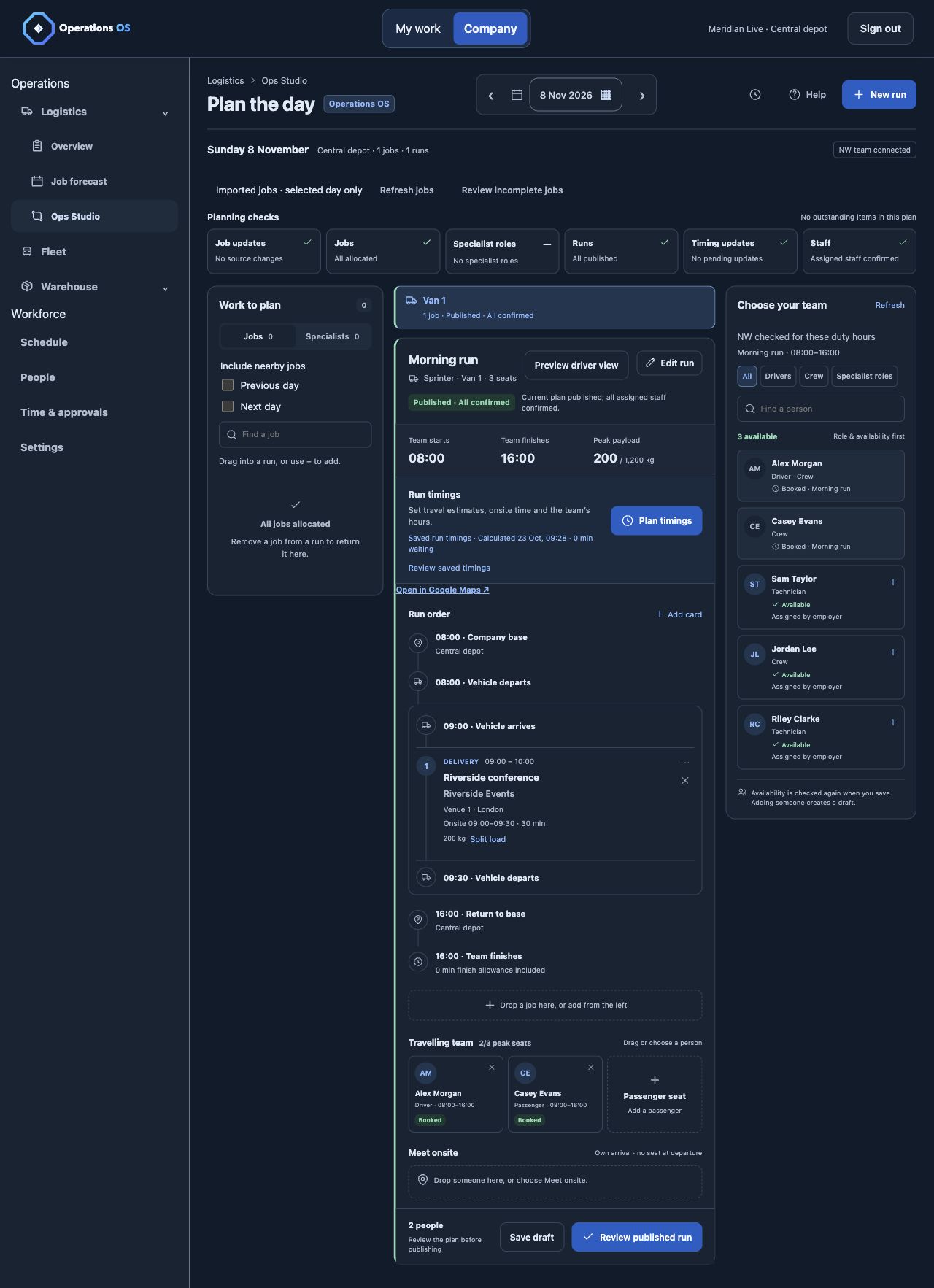
Operations OS connects native jobs or a supported read-only RMS import to Ops Studio, people, vehicles and manually timed runs.
Allocate vehicles, record responsibility, highlight readiness and keep the movement tied to its people and work.
Manual timings, run sheets and ordinary Google Maps navigation links are part of Operations OS. Assisted Routing adds travel timings for your chosen stop order, included during the trial and optional afterwards. Embedded maps are not available at launch.
Operations OS connects departures, returns, Load/Unload work, assigned tasks, checking, job/day notes, alerts and acknowledged run handovers.
Ops passes planned personal duty hours to NW. Workers record actual hours there; managers use NW pay checks, corrections, approvals and exports.
Drivers see their published work through NW. Companies can preview draft or published driver information without acknowledging it or changing progress. Restricted shared devices use existing NW accounts.
Your team maintains consumable stock manually. Matched RMS job data supplies demand predictions, shortage warnings and projections; it does not synchronise stock. Expected deliveries remain separate from stock until explicit partial or full receipt.
Operations OS includes availability, downtime, user-entered MOT, tax, service and insurance reminders, individual or fleet policies, maintenance, faults, tyre records and vehicle-specific driver requirements.
Surface unresolved work, significant changes, approvals and operational evidence for the people authorised to act.
Operations OS includes NW Pro and the initial operational controls and guidance in the same workspace. Recommendations explain their basis; bookings and important changes remain explicit actions.
Try Operations OSPlan Orders six months ahead, with no subscription limit on matched specialist Services. Technical safeguards remain; quotes and drafts are excluded.
Use manual timings, run sheets and ordinary navigation links in the base package. Assisted travel timings are included during the trial and optional on a paid subscription. Embedded maps are not available at launch.
Add skill ratings and job context to the suitable-worker recommendations inherited from NW Pro. The planner chooses the team.
Reuse grouped supplier stops, Load/Unload work and other operational tasks while setting dates and times for each run.
Assign and check tasks, add job/day notes, alert the responsible person and request acknowledgement of a specific run handover.
Compare team-entered stock with matched RMS job-demand predictions and see shortages in the projection graph. Warnings never block bookings.
Record expected arrival dates separately from stock. Confirm partial or full receipts explicitly; purchase records stay in Ops.
Record individual or fleet insurance, configurable maintenance intervals, extra services, faults and driver requirements. In-app reminders help the team act.
Keep requests and offers to your own team within Native Workforce. NW Network recruitment is coming later and is not included in any current trial or purchase.
RMS data stays read-only: planning, stock counts and receipt confirmations in Ops never update the RMS. HireHop, Rentman and other providers are later connector work.
One supported connection, with a new name. Read Orders and matched Services into Ops; your RMS stays the source of truth. Your team plans the work in Operations OS without changing RMS records.
Operations OS plans Orders up to six months ahead with no subscription limit on specialist Service matches. Technical safeguards remain. A Service is one match, even when several Services share a role. RMS quotes and drafts are excluded. Automatic stop reordering and multi-vehicle optimisation are outside the initial routing release.
Logistics shows Today and the next four weeks. Warehouse shows dated departures, returns and vehicle Load/Unload work. Recorded maintenance dates produce in-app reminders; explicit vehicle downtime blocks overlapping new run publication. Dates are entered by your team, without external compliance verification.
The Ops management workspace is designed for desktop browsers. Workers use NW for their work and actual hours. Shared Warehouse and driver devices keep job information visible after an hour of inactivity and request that person’s PIN before a change; current access and session checks still apply. Shared Consumables access is read-only.
Formal inspections and purchasing suggestions are later updates. Broader recruitment intake forms remain under review. The planned applicant invitation handoff reuses NW People: prepare or send an invitation first; the applicant becomes active only after accepting it.
Operations OS is on the App Store and Google Play. Give your people one free profile for shifts, availability and work records across connected workplaces.
Explore App & team access →

Jobs, requirements, people, shifts, attendance and review use one coherent operational history. When something changes, the people affected see what happened and what to do next.
See capability by planTry the right plan for 14 days without a card or automatic charge. Operations OS includes NW Pro, with Assisted Routing included during the trial.